A new feature in the latest update of the Researcher plan: you can exclude words under each field and choose several countries at once. This illustrated guide walks through the advanced search step by step with a single example.
Our example in every step: Mukhtaṣar al-Muntahā al-uṣūlī (Mukhtaṣar al-uṣūl) by Ibn al-Ḥājib (d. 646 AH) on the principles of jurisprudence, one of the most copied and commented texts.
The general rule: start broad, then narrow down, then exclude.
1. General search: the starting point
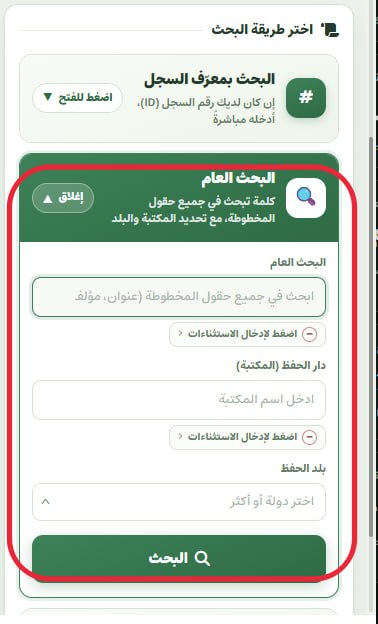
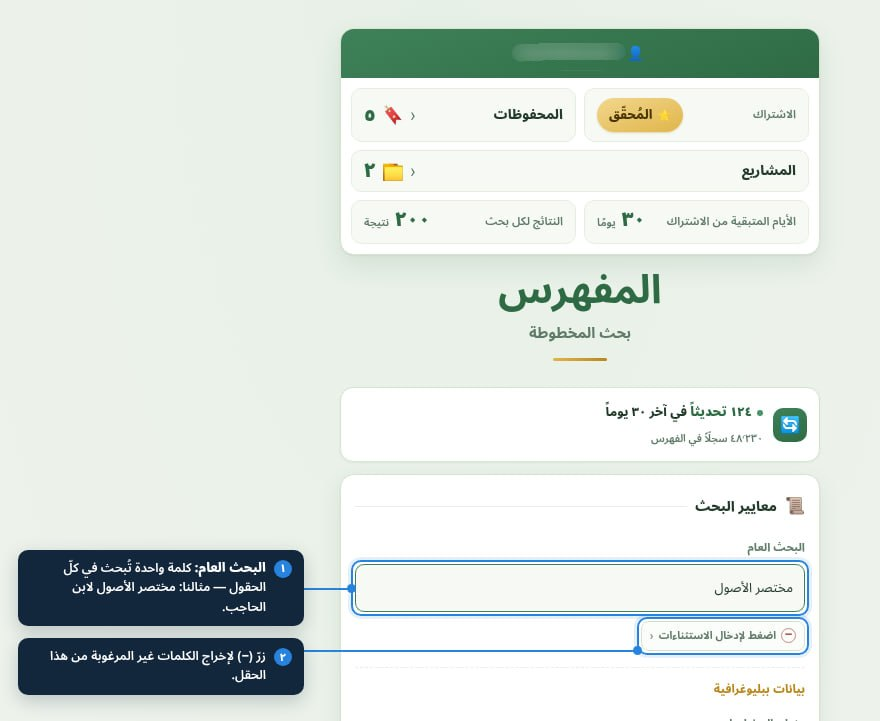
One field that searches every field of the record: title, author, subject, copyist and colophon.
- Type only one or two words; the longer the phrase, the fewer the results.
- Use it when you do not know which field holds the information (for example a name the book is known by).
- Hamzas and tāʾ marbūṭa do not matter; the search looks past spelling variants.
2. Bibliographic data
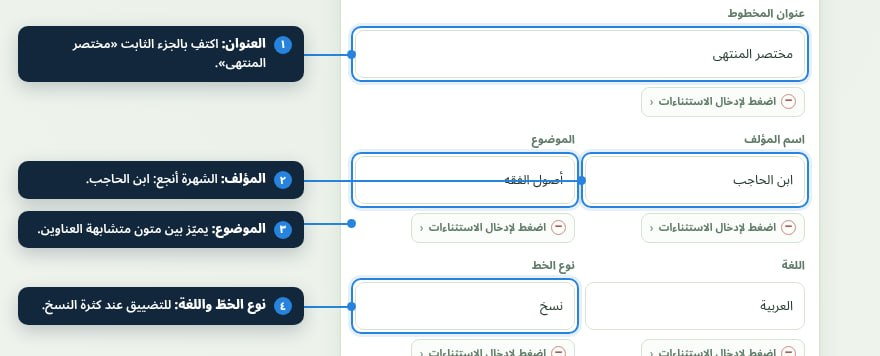
Title, author, subject, language and script: the strongest tools for narrowing down.
- Title: keep to the stable part of the title, since titles differ between catalogues.
- Author: the well-known name works better than the full name; type «ابن الحاجب», not the whole name.
- Subject, language and script help when titles in different disciplines look alike.
3. Excluding words (the NOT operator)
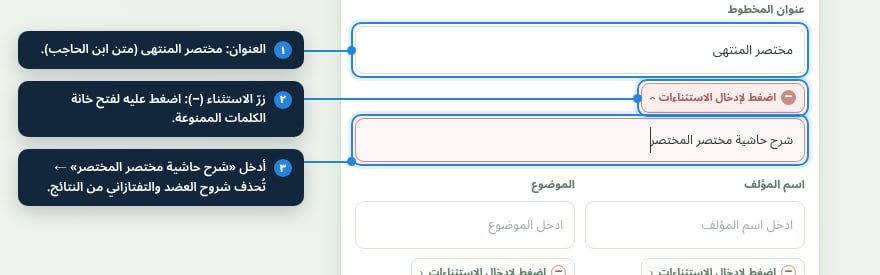
Under each field a small (−) button opens a box for words you want to keep out of the results.
- Tap «اضغط لإدخال الاستثناءات» (enter exclusions) and a small box opens under the field.
- Enter the excluded words separated by spaces or commas; any result containing one of them is removed.
- If a field has exclusions, its button stays coloured even when the box is closed, so you can tell at a glance.
4. Holding country: multiple choice with search
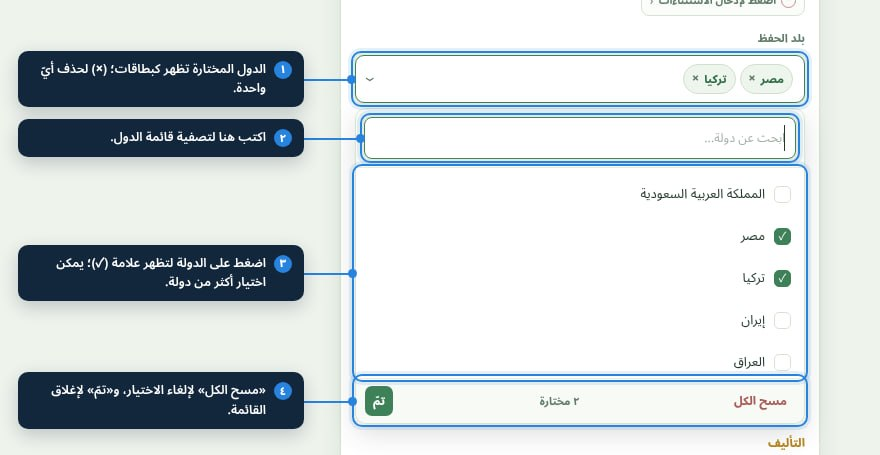
Choose one country or several at once from a searchable list.
- Tap the field to open the list; type in its search box to filter the countries.
- A () confirms the choice, and the chosen countries appear as chips in the field.
- To remove a country tap (×) on its chip, or use «مسح الكل» (clear all) at the bottom of the list, then «تمّ» (done).
5. Text and documentation
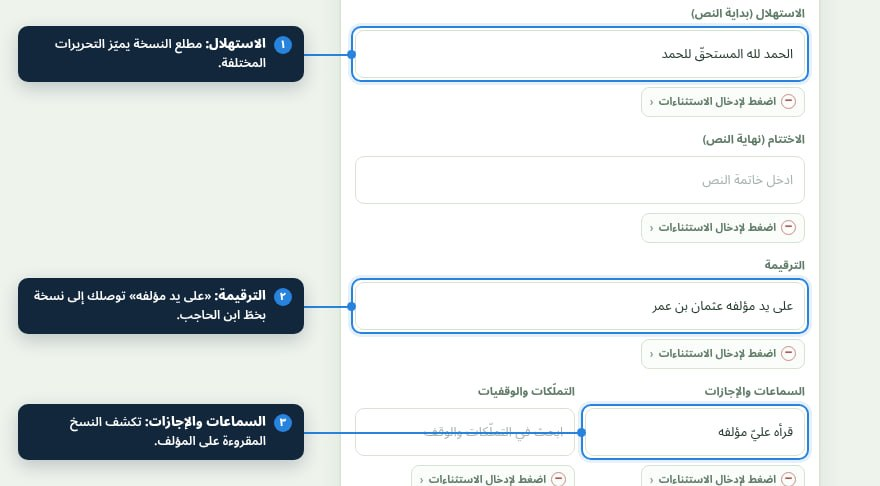
The finest tools for telling copies apart: incipit, explicit, colophon and audition notes.
- Incipit and explicit: enter four or five words from the opening or the end of the copy to identify a particular recension.
- Colophon: the key to the copyist, the date and the place of copying.
- Audition notes, ownership notes and seals reveal the chain of transmission and the history of the copy.
6. Running the search and reading the results
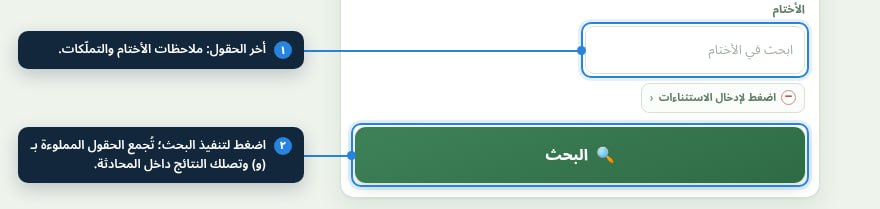
After filling in the fields, press the search button; the results arrive in the chat.
- Filled fields are combined with AND: a result must match all the conditions together.
- If nothing comes back, remove the most specific conditions (date, city) and search again.
- To start over, just empty the fields and press the button again.
7. Account, bookmarks and projects
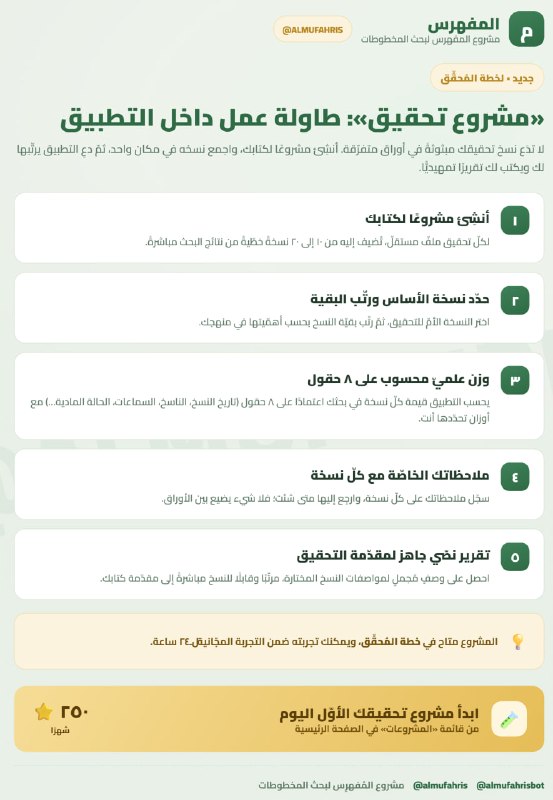
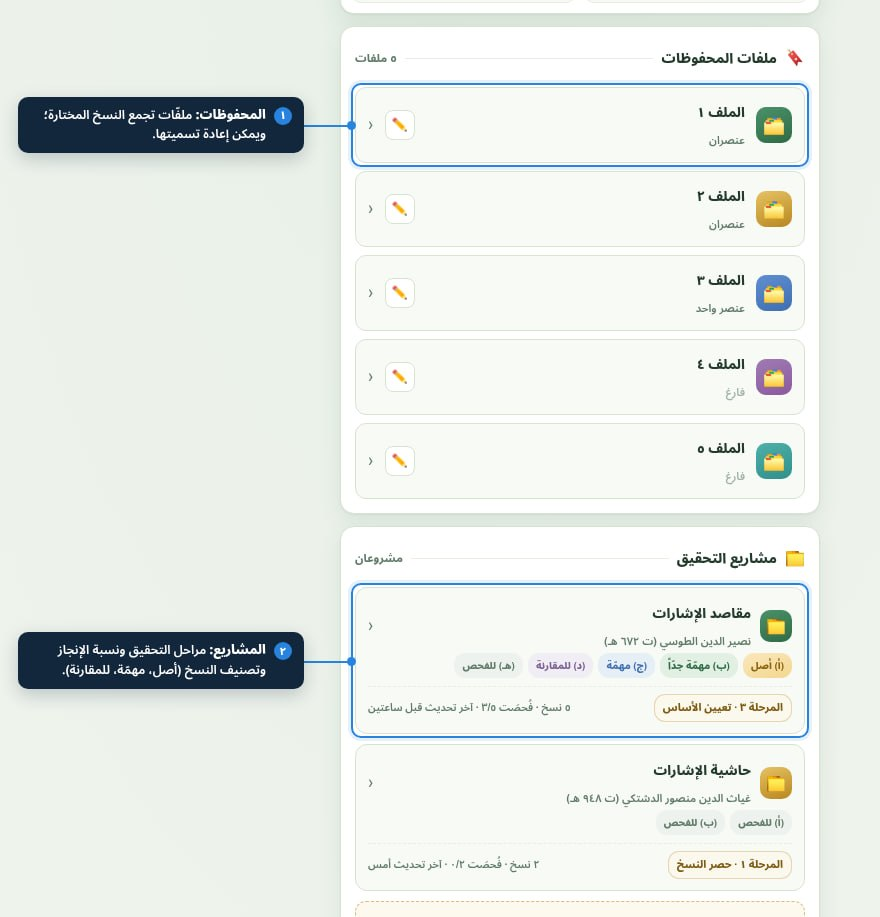
Nothing you find is lost: save copies in folders, or link them to an edition project.
- Bookmarks: folders that gather the copies you chose so you can come back to them.
- Projects: each edition project has stages and a progress rate, and copies are classed as (base, very important, for comparison, to examine).
- The counter at the top shows the number of records and the latest updates to the catalogue.
The complete example: Mukhtaṣar al-uṣūl
- Title: مختصر المنتهى
- Author: ابن الحاجب
- Subject: أصول الفقه
- Exclude (−): شرح حاشية مختصر المختصر
- Holding country: Egypt, Turkey
Result: copies of the text alone in the libraries of Cairo and Istanbul, without the commentaries and glosses.