Home / Search Guide

Search Guide

A step-by-step guide to using the tool and entering keywords to find manuscripts precisely.

1. Open the app

Tap “Open Al-Mufahris” or start the bot in Telegram; the Mini-App opens directly inside Telegram.

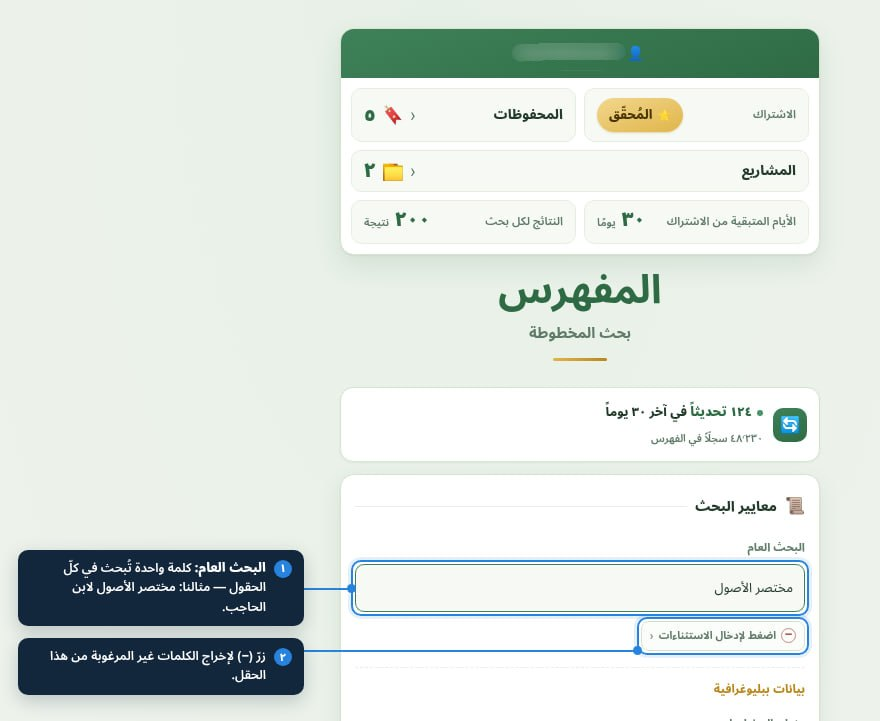
2. Choose a search field

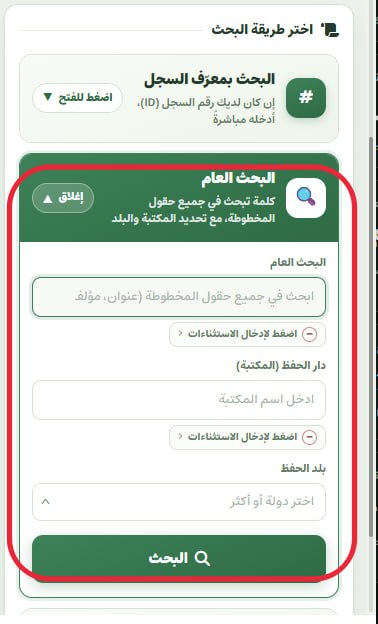
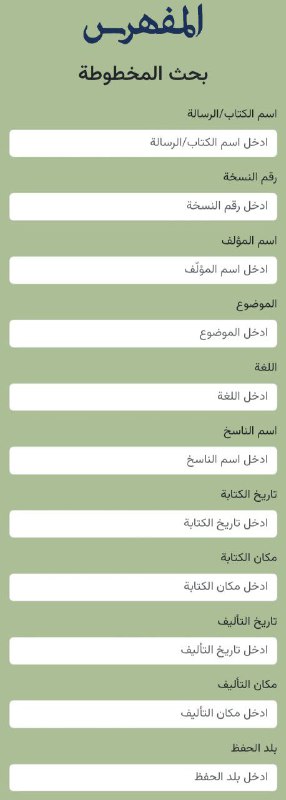
Decide whether to search by title, author, scribe or library — or pick “Total search” to search every field at once.

3. Type a precise keyword

Use a word stem rather than a long phrase; e.g. “al-Shifa” instead of “Kitāb al-Shifā’ by Ibn Sina”, then narrow results by adding the author.

4. Browse and open a record

Results appear collapsed; open any record to see its 57 fields and copy any field with one tap.

5. Save or share

Add the record to a bookmark folder or a critical-edition project, or share it as an image in any Telegram chat.

Tips for sharper searches

  • Start with one distinctive word, then add constraints.
  • Try different spellings of a name.
  • Search by shelf number if you know it.
  • Use total search when you don’t know which field a word belongs to.

Video guides

Save the record… and let it tell you what’s new | Bookmarks in Al-Mufahris
Watch the video · The video is in Arabic
In this video

How to save, organise and follow your manuscript search results in Al-Mufahris, inside Telegram.

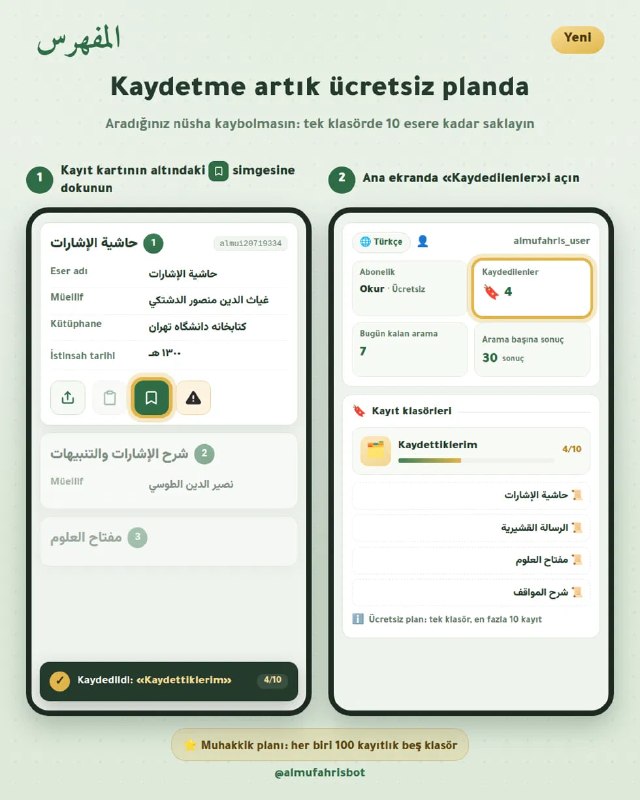
  • Save any record with one tap on the button under the card
  • Organise your bookmarks into five folders and name each folder after its topic
  • If a file becomes available for the copy after you save it, or its data are corrected, you see it in your bookmarks
  • Move any saved record into a research project
  • Export the folder to Excel
  • For Researcher-plan subscribers (since 15 October 2026 the free plan also includes one folder of 10 records)
How to use the research project tool, step by step
Watch the video · The video is in Arabic
In this video
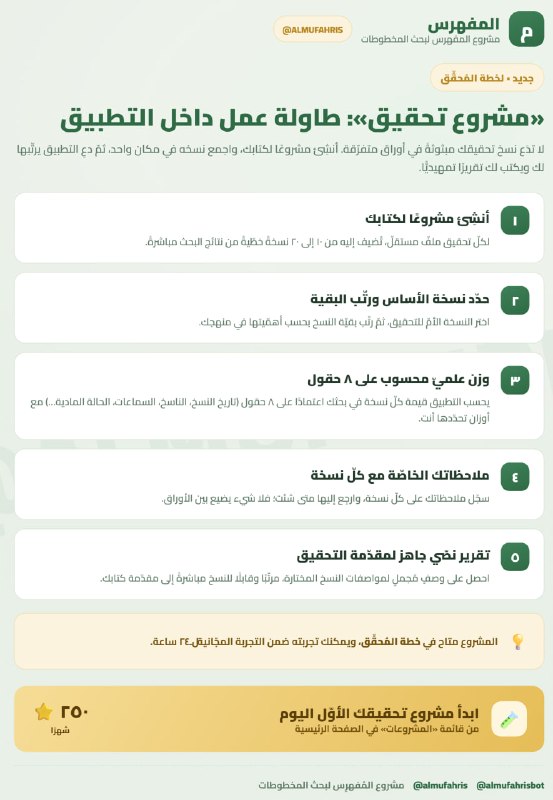
  • Add any copy from the search results to your project, with its siglum (A, B, C…) and its level of importance.
  • Examine each copy against the weighting criteria: proximity to the author, attestation and integrity of the text.
  • Set the weight of each criterion yourself according to your method, so the copies are weighed and ranked by your judgement, not by a ready-made template.
  • Document every judgement with its evidence: the place of the collation note, the text of the samāʿ (audition) note and a sample of the corruption.
  • Rank the copies and choose the base copy; we suggest an order, the decision is yours, and every change is kept in a log.
  • Record your own reading of the catalogue data and, if you wish, send it to Al-Mufahris.

More videos on YouTube ↗

Notes & materials

Start searching manuscripts in seconds

No new account, no install — just open the app inside Telegram.